
System Log Options


| Navigation: Administration | |
|
System Log Options |
|
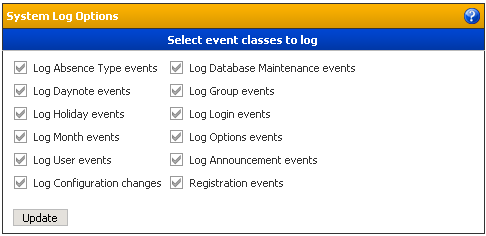
Manage System Log
Most events in TeamCal can be logged so history information is available if needed. With this dialog here the administrator can switch on or off nine different event types for logging:
| • | Log Absence Type events Switching this on will log all absence type activities (add, update, delete) |
| • | Log Database Maintenance events Switching this on will log all absence type activities (add, update, delete) |
| • | Log Day note events Switching this on will log all general day note activities (add, update, delete) |
| • | Log Group events Switching this on will log all group activities (add, update, delete) |
| • | Log Holiday events Switching this on will log all holiday activities (add, update, delete) |
| • | Log Login events Switching this on will log all login/logout activities |
| • | Log Month events Switching this on will log all month template activities |
| • | Log Options events Switching this on will log all system options changes |
| • | Log User events Switching this on will log all user related activities (add, update, delete, personal day note, templates) |